skip to main |
skip to sidebar
Showing posts with label
Android System Tools Utilities.
Show all posts
Showing posts with label
Android System Tools Utilities.
Show all posts
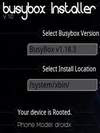 Busybox Installer Pro v1.1 Android
Name : Busybox Installer Pro v1.1 Android
Category : System Tools & Utilities
File Name : busyboxinstallerprov1.1android.apk
File Size : 393kb
Supported Phones : Acer beTouch E130, Dell Streak, Dell Mini 5, Dell Aero, Dell Mini 3iX, Garmin-Asus A10, Gigabyte GSmart G1305 Boston, Gigabyte GSmart G1305 Codfish, HTC Desire, HTC Bravo, HTC Wildfire, HTC Evo 4G, HTC Legend, HTC Aria, HTC Google Nexus One, HTC Hero, HTC Droid Incredible, HTC Tattoo, HTC Magic ... HTC DROID ERIS, HTC Dream, Huawei U8230, Huawei U8500, Huawei U8300, Huawei U8100, Huawei U8220, Huawei U8110, i-mobile i858, i-mobile 8500, Philips V900, Philips V808, T-Mobile G1, T-Mobile myTouch 3G Slide, T-Mobile myTouch 3G, T-Mobile Pulse, T-Mobile Garminfone, T-Mobile Pulse Mini, T-Mobile G2 Touch, T-Mobile myTouch 3G Fender Edition, Vodafone 845, ZTE Race, ZTE X850, ZTE U X850
Supplied By Unknown
Description
Requirements: Android
Overview: This is the pro version of Busybox Installer. This gets rid of the ads and will add a couple more features like being able to install useful shell scripts.
This is the pro version of Busybox Installer. This gets rid of the ads and will add a couple more features like being able to install useful shell scripts.BusyBox Installer installs a working version of BusyBox on your device. BusyBox is needed by several "root" apps and is a useful tool to have. BusyBox installer is simple to use and has a sexy Honeycomb themed UI.
BusyBox installer provides 13 versions of BusyBox. You can also check for updated versions from within the app. Busybox is a small executable that provides Unix tools. It is well known as "The Swiss Army Knife of Embedded Linux".
BusyBox installer also checks to see if your phone has root access and displays busybox, phone and ROM versions. This should work on all devices but if something doesn't try another version of BusyBox from within this app.
Download
Note: This App May Not Work With All The Phones Listed Above
 Root System Tool v3.4.1 Android
Name : Root System Tool v3.4.1 Android
Category : System Tools & Utilities
File Name : rootsystemtoolv3.4.1android.apk
File Size : 314kb
Supported Phones : Acer beTouch E130, Dell Streak, Dell Mini 5, Dell Aero, Dell Mini 3iX, Garmin-Asus A10, Gigabyte GSmart G1305 Boston, Gigabyte GSmart G1305 Codfish, HTC Desire, HTC Bravo, HTC Wildfire, HTC Evo 4G, HTC Legend, HTC Aria, HTC Google Nexus One, HTC Hero, HTC Droid Incredible, HTC Tattoo, HTC Magic ... HTC DROID ERIS, HTC Dream, Huawei U8230, Huawei U8500, Huawei U8300, Huawei U8100, Huawei U8220, Huawei U8110, i-mobile i858, i-mobile 8500, Philips V900, Philips V808, T-Mobile G1, T-Mobile myTouch 3G Slide, T-Mobile myTouch 3G, T-Mobile Pulse, T-Mobile Garminfone, T-Mobile Pulse Mini, T-Mobile G2 Touch, T-Mobile myTouch 3G Fender Edition, Vodafone 845, ZTE Race, ZTE X850, ZTE U X850
Supplied By Unknown
Description
Requirements: All Android OS
Overview: Android user deserves all in one sys manager
1. Console terminal:
-All adb cmds
-ssh connection
-gedit(or vi)
-dmesg
-logcat, etc.
(If ssh connection isn't working, please check network firewall)
2. Task Manager :
-See detail of each app process status
-kill app/process
3. CPU manager:
-Elapsed CPU frequency status
-CPU performance level setting
(root permission is required.)
-CPU clock customization
(root permission is required. Current clock will show only as high as max clock. but it may run higher. Please use it with caution)
4. Storage Manager:
-NAND and SD card benchmark test
-File Explorer
-low memory killer (Root permission is required.)
5. Battery manager :
-Battery status
-Low battery rule setting.
**Life Time Warranty: If you don't like, please send me an email. you can get refund anytime.
Recent changes:
Bug fix with battery
Download
Note: This App May Not Work With All The Phones Listed Above
 SD-Booster v1.5.2 Android
Name : SD-Booster v1.5.2 Android
Category : System Tools & Utilities
File Name : sd-boosterv1.5.2android.apk
File Size : 1132kb
Supported Phones : Acer beTouch E130, Dell Streak, Dell Mini 5, Dell Aero, Dell Mini 3iX, Garmin-Asus A10, Gigabyte GSmart G1305 Boston, Gigabyte GSmart G1305 Codfish, HTC Desire, HTC Bravo, HTC Wildfire, HTC Evo 4G, HTC Legend, HTC Aria, HTC Google Nexus One, HTC Hero, HTC Droid Incredible, HTC Tattoo, HTC Magic ... HTC DROID ERIS, HTC Dream, Huawei U8230, Huawei U8500, Huawei U8300, Huawei U8100, Huawei U8220, Huawei U8110, i-mobile i858, i-mobile 8500, Philips V900, Philips V808, T-Mobile G1, T-Mobile myTouch 3G Slide, T-Mobile myTouch 3G, T-Mobile Pulse, T-Mobile Garminfone, T-Mobile Pulse Mini, T-Mobile G2 Touch, T-Mobile myTouch 3G Fender Edition, Vodafone 845, ZTE Race, ZTE X850, ZTE U X850
Supplied By Unknown
Description
Requirements: for Android version 2.1 and higher // Rooted
Overview: SD-Booster speeds up your SD-Card (external memory-card) up to 40 times! Enjoy a new feeling of speed on your Android smartphone anytime and everywhere you are.
Starting apps, listing to your favorite music or just swapping data with your PC ? Whatever you do, the SD-Booster improve your phone speed!
SD-Booster needs root permission to run, otherwhise SD-Booster can't do anything!
Recent changes:
New: Launcher app icon designed by Jozef Kruszynski (Doktaphex)
Bugfix: Rarely possible inconsistence between UI and database
Download
Note: This App May Not Work With All The Phones Listed Above
 App2SD v1.0.7 Ad-Free Android
Name : App2SD v1.0.7 Ad-Free Android
Category : System Tools & Utilities
File Name : app2sdv1.0.7ad-freeandroid.apk
File Size : 310kb
Supported Phones : Acer beTouch E130, Dell Streak, Dell Mini 5, Dell Aero, Dell Mini 3iX, Garmin-Asus A10, Gigabyte GSmart G1305 Boston, Gigabyte GSmart G1305 Codfish, HTC Desire, HTC Bravo, HTC Wildfire, HTC Evo 4G, HTC Legend, HTC Aria, HTC Google Nexus One, HTC Hero, HTC Droid Incredible, HTC Tattoo, HTC Magic ... HTC DROID ERIS, HTC Dream, Huawei U8230, Huawei U8500, Huawei U8300, Huawei U8100, Huawei U8220, Huawei U8110, i-mobile i858, i-mobile 8500, Philips V900, Philips V808, T-Mobile G1, T-Mobile myTouch 3G Slide, T-Mobile myTouch 3G, T-Mobile Pulse, T-Mobile Garminfone, T-Mobile Pulse Mini, T-Mobile G2 Touch, T-Mobile myTouch 3G Fender Edition, Vodafone 845, ZTE Race, ZTE X850, ZTE U X850
Supplied By Unknown
Description
Requirements: Android 2.2+
Overview: App2SD helps to save the internal storage of phone, very easy to use!
#Features
* List all installed apps
* App to sd - Move app to SD card if it could be moved
* Move apps back to phone internal storage from SD card
* Clear Apps Cache
* Sort app by name, install date, app size
* Show total internal storage and available internal storage
* Show total storage of SD card and available storage
* Uninstall app
* Open/Switch to app
* Search app in google market
* Notification when there is new app installed which can be moved to SD card
* Support Android 2.2/2.3
The following devices do not support the "App 2 SD" function:
* tablets that runs Android 3.0
Users report the following devices do not support the "Clear all cache" function:
* HTC Thunderbolt
**Better sending feedback then rating 1 start**
***************************
INFOLIFE, Make Life Easier!
***************************
#Description
App2SD is a tool to help move app to SD card to save internal storage of phone. It's very easy to use, and when you open the app, you will find 3 tabs: "On Phone", "On SD Card", "On Phone Only".
"On Phone" - apps are installed in internal memory of phone and they can be moved to SD card.
"On SD Card" - apps are installed on SD card.
"On Phone Only" - apps are installed in internal memory, but they are not supported to be moved to SD card or they are not allowed to be moved to SD card by the system limitation.
In the "On Phone" app list, click on the app that you want to move app to SD card, and you will get a application details interface, then click the "Move to SD card" button and wait for it's done.
It's same to move apps back to internal memory, just go to the "On SD Card" tab, click the apps that want to move.
By long click on the app, there will be a poped up context menu for more options, you can click "Uninstall" to uninstall the app.
Notification will be send if there is new app installed and it can be moved to SD card.
*For more help, click "Menu"->"Help".
*Any questions, please get help by clicking "Menu"->"Feedback".
#FAQ
1. What is "App 2 SD"?
"App 2 SD" is short for app to SD card, and it is also called app to sd.
2. Why do so many apps that cannot App2SD?
Only the app is configured to supported to be installed on SD card by the developer that can it App2SD. So you will see many apps are "On Phone Only".
#KW
app2sd,app 2 sd,apptosd,app to sd,a2sd,app 2sd,uninstall,ccleaner,clear cache,app cache,qq
Recent changes:
-v1.0.7
#Memory bar refresh
#Reduce battery usage
Download
Note: This App May Not Work With All The Phones Listed Above
 File Expert v3.2.2 Android
Name : File Expert v3.2.2 Android
Category : System Tools & Utilities
File Name : fileexpertv3.2.2android.apk
File Size : 1655kb
Supported Phones : Acer beTouch E130, Dell Streak, Dell Mini 5, Dell Aero, Dell Mini 3iX, Garmin-Asus A10, Gigabyte GSmart G1305 Boston, Gigabyte GSmart G1305 Codfish, HTC Desire, HTC Bravo, HTC Wildfire, HTC Evo 4G, HTC Legend, HTC Aria, HTC Google Nexus One, HTC Hero, HTC Droid Incredible, HTC Tattoo, HTC Magic ... HTC DROID ERIS, HTC Dream, Huawei U8230, Huawei U8500, Huawei U8300, Huawei U8100, Huawei U8220, Huawei U8110, i-mobile i858, i-mobile 8500, Philips V900, Philips V808, T-Mobile G1, T-Mobile myTouch 3G Slide, T-Mobile myTouch 3G, T-Mobile Pulse, T-Mobile Garminfone, T-Mobile Pulse Mini, T-Mobile G2 Touch, T-Mobile myTouch 3G Fender Edition, Vodafone 845, ZTE Race, ZTE X850, ZTE U X850
Supplied By Unknown
Description
Requirements: Android 1.6+
Overview: Powerful file manager for Android. All basic file operations - Copy, Paste, Move, Create and Rename your files and folders, as well as FTP/HTTP server management, root access, app manager, archive manager, and more.
* Powerful & Leading File Manager for Android - We have millions of users worldwide and still fast growing! Come and join us today!
* All basic file operations - Copy, Paste, Move, Create and Rename your files and folders
* FTP/HTTP Server - Share & Manage your files without a USB cable, just like with Web Sharing or WIFI File Explorer, but we do even more because we can provide both Web & FTP transferring support. Web management featuring a Windows style interface!
* Root access to system folders and files like Root Explorer. Remount those locations to read write. Requires rooted phone to function. This feature is in BETA testing. Use it on your own risk.
* SMB & FTP Client - Access your host computer from your phone, using your phone to manage your PC via WIFI with SMB or FTP
* Bluetooth - Sharing your files over Bluetooth OBEX FTP. Send any files via Bluetooth OPP
* App Manager - Uninstall/Backup apps. We know that many apps on the market can do this, but none can do this work silently. We're the ONLY app that can install and uninstall apps silently, which makes your batch process faster and cooler. Silent capabilities require a rooted phone to function.
* Archive manager - Create and decompress ZIP archive, Decompress RAR. You can view your ZIP/RAR/GZIP/TAR/TGZ/BZ file just like accessing a folder and directly decompress unique files and folders from those archive
* Thumbnails - supports jpg/png/mp3/mp4/3gp thumbnails
* Text Viewer - supports very large TXT files. This feature is still under development
* Image Viewer - supports both local and remote folder
* Search SD card, perform operations on search results
* Help your player to play media that stores on SMB share (your player needs to support HTTP streaming). Just like some users on the app comments said, WE are the ONLY file manager that can directly open some types of videos over SMB network
* File Picker - Let FE to help you anywhere you want
~~~~~~~~~~~~~~~~~~~~~~~~~~~~
Why choose FE? Here are the reasons:
1. No ADs and it's FREE
2. Gives you almost everything you need to manage your phone's resources
3. Smaller size than competitors (Astro and ES are all bigger than 1.6MB, but FE is only 1MB)
4. Acceptable performance
5. Free technical support via email
6. Clear User Interface, and most operations can be done only in touch
7. The ONLY file manager that supports both PC 2 phone & phone 2 PC wifi file transfer and can directly play some videos and music via SMB
8. Root access support
Give it a try and you will find more useful features!!!
We know that Astro is great but you have to buy Pro version in order to remove annoying ADs. We can provide all functions that Astro does and offer you even more useful features like Web sharing support. Why not give us a try?
Keywords and tags:
File Explorer File Manager HTTP FTP FTP Server File sharing APK App Manager File Expert SMB TXT reader file WIFI wifi sharing ES ES File Explorer Astro Astro File Manager File Picker Web Sharing WIFI File Explorer SwiFTP SD SD Card Files Copy Move Cut Paste Create Rename folders sharing files managing files file manager file operator top file manager best file manager File Manager Pro File Manager Advanced Free Root Explorer
Relevant Applications or competitors:
Astro File Manager; ES File Explorer; OI File Manager; File Manager; WIFI File Explorer
Our Goal:
We want to make File Expert the best file manager/wireless file sharing app on the Android platform
Thank you for your great support, and please give us a try and you'll find what you need! I promise.
Any feature requests or bug reports, please send directly to my email. You can see my email address below. I will try my best to reply to every email I receive.
If you like FE, please rate it on the market to help more users find us
Okay, that's all. Thank you for reading this very long description. FE has many features, so I have to write a long description for details.
IT'S TIME TO CHANGE
Enjoy
Thank you
Recent changes:
1. Add Bluetooth OBEX FTP sharing support. Now you can use other bluetooth enabled device and OBEX-capable software to manage your smart phone via Bluetooth
2. Add Bluetooth OBEX OPP support. Now you can send any files to other Bluetooth devices using File Expert
3. Performance improvemenmts and bug fixes
4. Add a txt editior on Web PC Suite, now you can view and edit your txt files via Web sharing
Latest version: 3.2.2 (for Android version 2.1 and higher, supports App2SD)
Download
Note: This App May Not Work With All The Phones Listed Above
 BootManager v1.1 Android
Name : BootManager v1.1 Android
Category : System Tools & Utilities
File Name : bootmanagerv1.1android.apk
File Size : 1191kb
Supported Phones : Acer beTouch E130, Dell Streak, Dell Mini 5, Dell Aero, Dell Mini 3iX, Garmin-Asus A10, Gigabyte GSmart G1305 Boston, Gigabyte GSmart G1305 Codfish, HTC Desire, HTC Bravo, HTC Wildfire, HTC Evo 4G, HTC Legend, HTC Aria, HTC Google Nexus One, HTC Hero, HTC Droid Incredible, HTC Tattoo, HTC Magic ... HTC DROID ERIS, HTC Dream, Huawei U8230, Huawei U8500, Huawei U8300, Huawei U8100, Huawei U8220, Huawei U8110, i-mobile i858, i-mobile 8500, Philips V900, Philips V808, T-Mobile G1, T-Mobile myTouch 3G Slide, T-Mobile myTouch 3G, T-Mobile Pulse, T-Mobile Garminfone, T-Mobile Pulse Mini, T-Mobile G2 Touch, T-Mobile myTouch 3G Fender Edition, Vodafone 845, ZTE Race, ZTE X850, ZTE U X850
Supplied By Unknown
Description
Requirements: for Android version 2.1 and higher
Overview: Boot Manager is the first Android Multi-Booter Application!
The application installs up to four ROMs to your sdcard and you can keep one on your phone as well to allow you to boot up to five ROMs and switch between them with just a reboot. This is the must have application for any flashaholic and will finally allow you to keep up with those nightly builds we have all come to love or just boot your favorite ROMs from your favorite developers. The application is great for developers as well since you now have 5 slots for testing ROMs.
The application acts as your recovery for the four sdcard slots. Install your kernels, theme, and ROMs all through the app and use your normal recovery for your phone ROM.
Root Required.
Current Supported Devices
Motorola Droid 1
HTC Incredible 1
HTC Thunderbolt
HTC Vision
HTC EVO 4G
HTC Inspire4g
HTC Desire
HTC Desire HD
tags: init2winit bootmanager root multi dual boot
Recent changes:
V1.1
Fix rom installer for setting permissions correctly
Fix for user entered variables
Fix force closes in installer and widget
Added Wipe data/Factory reset to Manage Rom's section
Unzipped files shown
Added support for rom's that extract files to sdcard
Added Support
Htc Desire (apps2sd and data2sd rom support is EXPERIMENTAL. Please email if you test)
Htc Inspire4g
Htc DesireHD
Added option to use ext4 filesystem if rom's support it-EXPERIMENTAL
Added log errors to sd
Added Support
Htc Desire (apps2sd and data2sd rom support is EXPERIMENTAL. Please email if you test)
Htc Inspire4g
Htc DesireHD
Added option to use ext4 filesystem if rom's support it-EXPERIMENTAL
Added log errors to sd
Download
Note: This App May Not Work With All The Phones Listed Above
 ROM Manager Premium v4.3.3.0 Android
Name : ROM Manager Premium v4.3.3.0 Android
Category : System Tools & Utilities
File Name : rommanagerpremiumv4.3.3.0android.apk
File Size : 2242kb
Supported Phones : Acer beTouch E130, Dell Streak, Dell Mini 5, Dell Aero, Dell Mini 3iX, Garmin-Asus A10, Gigabyte GSmart G1305 Boston, Gigabyte GSmart G1305 Codfish, HTC Desire, HTC Bravo, HTC Wildfire, HTC Evo 4G, HTC Legend, HTC Aria, HTC Google Nexus One, HTC Hero, HTC Droid Incredible, HTC Tattoo, HTC Magic ... HTC DROID ERIS, HTC Dream, Huawei U8230, Huawei U8500, Huawei U8300, Huawei U8100, Huawei U8220, Huawei U8110, i-mobile i858, i-mobile 8500, Philips V900, Philips V808, T-Mobile G1, T-Mobile myTouch 3G Slide, T-Mobile myTouch 3G, T-Mobile Pulse, T-Mobile Garminfone, T-Mobile Pulse Mini, T-Mobile G2 Touch, T-Mobile myTouch 3G Fender Edition, Vodafone 845, ZTE Race, ZTE X850, ZTE U X850
Supplied By Unknown
Description
Requirements: Android 1.0 and up
Overview: Must have app for any root user. Make backups, flash ROMs, and own your device.
ROM Manager is THE MUST HAVE APP for any Android root user. (Over 1.3 million downloads and counting!)
* Flash your recovery to the latest and greatest ClockworkMod recovery.
* Manage your ROMs via a handy UI.
* Organize and perform backups and restores from within Android!
* Install ROMs from your SD card.
* Install your favorite ROMs over the air!
Premium Version:
* Premium ROMs
* Receive notifications for when your ROM is updated!
* Automatic backups
* Install from QR Code
* Web Connect
* Support
What's in this version:
Translation updates.
Fixed a bug that was causing PayPal to be DDOS on accident. Heh.
If your ROM came with ROM Manager you'll have to remove it before installing this.
Download
Note: This App May Not Work With All The Phones Listed Above
 AutoKiller Memory Optimizer Donate v6.0 Android
Name : AutoKiller Memory Optimizer Donate v6.0 Android
Category : System Tools & Utilities
File Name : autokillermemoryoptimizerdonatev6.0android.apk
File Size : 1040kb
Supported Phones : Acer beTouch E130, Dell Streak, Dell Mini 5, Dell Aero, Dell Mini 3iX, Garmin-Asus A10, Gigabyte GSmart G1305 Boston, Gigabyte GSmart G1305 Codfish, HTC Desire, HTC Bravo, HTC Wildfire, HTC Evo 4G, HTC Legend, HTC Aria, HTC Google Nexus One, HTC Hero, HTC Droid Incredible, HTC Tattoo, HTC Magic ... HTC DROID ERIS, HTC Dream, Huawei U8230, Huawei U8500, Huawei U8300, Huawei U8100, Huawei U8220, Huawei U8110, i-mobile i858, i-mobile 8500, Philips V900, Philips V808, T-Mobile G1, T-Mobile myTouch 3G Slide, T-Mobile myTouch 3G, T-Mobile Pulse, T-Mobile Garminfone, T-Mobile Pulse Mini, T-Mobile G2 Touch, T-Mobile myTouch 3G Fender Edition, Vodafone 845, ZTE Race, ZTE X850, ZTE U X850
Supplied By Unknown
Description
Requirements: Android OS 1.0+
Overview: AutoKiller Memory Optimizer is not a regular task manager.
AutoKiller is an award winner minfree tweaker, it fine tunes android systems inner memory manager to keep your device fast over time. As a side effect it also lowers battery consumption. Also includes a manual process/service manager.
- ROOT REQUIRED to set minfree values, unrooted devices will not have this feature
- if you have questions or you face errors please check home page or write mail
- for more details see home page
- donation is only available via paypal atm. because payed apps are not available in all countries yet
Donators receive additional features:
- ads are hidden
- alternate preset enabled
- Chuck Norris mode enabled
Please be careful, apps with very similar look and name are distributed, they can be malicious.
kw: minfree, optimize, memory, process, task, speed, improve, clean, root, magyar
What's in this version:
6.0
proper Honeycomb support
fix in IO Scheduler tweak, hopefully it won't reboot devices any more
proper handling of translations
quick actions in process list, just click on the application icons to see it
tabs can now be changed by swiping left and right
improved application start time
updated translations
pre 1.6 devices are no longer supported (but v5.3.1 remain active for them)
Download
Note: This App May Not Work With All The Phones Listed Above
 SD Maid Pro v0.9.6 Android
Name : SD Maid Pro v0.9.6 Android
Category : System Tools & Utilities
File Name : sdmaidprov0.9.6android.apk
File Size : 740kb
Supported Phones : Acer beTouch E130, Dell Streak, Dell Mini 5, Dell Aero, Dell Mini 3iX, Garmin-Asus A10, Gigabyte GSmart G1305 Boston, Gigabyte GSmart G1305 Codfish, HTC Desire, HTC Bravo, HTC Wildfire, HTC Evo 4G, HTC Legend, HTC Aria, HTC Google Nexus One, HTC Hero, HTC Droid Incredible, HTC Tattoo, HTC Magic ... HTC DROID ERIS, HTC Dream, Huawei U8230, Huawei U8500, Huawei U8300, Huawei U8100, Huawei U8220, Huawei U8110, i-mobile i858, i-mobile 8500, Philips V900, Philips V808, T-Mobile G1, T-Mobile myTouch 3G Slide, T-Mobile myTouch 3G, T-Mobile Pulse, T-Mobile Garminfone, T-Mobile Pulse Mini, T-Mobile G2 Touch, T-Mobile myTouch 3G Fender Edition, Vodafone 845, ZTE Race, ZTE X850, ZTE U X850
Supplied By Unknown
Description
Requirements: for all Android versions
Overview: THIS APP IS INTENTED FOR ROOTED DEVICES! Without root functionality is limited.
This is a powerful tool! Use at own risk!
NEW:
Complete filemanager!
Limited mode should work on more non rooted devices now.
Nobody is perfect and android neither.
Apps you have already deleted sometimes leave data behind.
The system constantly creates logs, crash reports and debug files you don't really need.
The market leaves temporary files of downloaded apps behind.
Lets not go on here...
Why not get a maid to clean it all up? SD maid will help you keep your device neat, clean and tidy for you !
Choose a tab, press check and then either click a single item to delete or press the clean all button. It's just that easy.
The explorer is a full fledged filemanager, use it to crawl through your androids files.
You can use the searcher to open/delete or rename files (wildcards are supported as is searching inside files).
The corpse finder searches your device for dormant directories and compares those to the list of installed applications.
The system cleaner scans the devices known directories with unnecessary files.
SD Maid is constantly being developed and is designed very carefully.
Due to the vast amount of android devices it might not work perfectly on everyones device, but i'm working hard to get it there. If you have problems on your device contact me (support@thedarken.eu) and i will try to fix your problem in the next version.
Recent changes:
Added spanish translation
Few tweaks to the icon
Added statistics
Added external sdcards for HUWEI tablets
Added Option to force English as language
Updated translations
Improved performance of duplicate finder
Fixed a problem with some external sd cards
Refined the explorers context menu
Refined the App Cleaners code
Enabled App Cleaner on unrooted devices
Added top50 biggest files in misc tab
Reworked some code regarding excludes
Various small tweaks
Note:
- Please uninstalling Unlocker if you installed it.
Download
Note: This App May Not Work With All The Phones Listed Above
 Dual File Manager XT v1.00 Android
Name : Dual File Manager XT v1.00 Android
Category : System Tools & Utilities
File Name : dualfilemanagerxtv1.00android.apk
File Size : 1202kb
Supported Phones : Acer beTouch E130, Dell Streak, Dell Mini 5, Dell Aero, Dell Mini 3iX, Garmin-Asus A10, Gigabyte GSmart G1305 Boston, Gigabyte GSmart G1305 Codfish, HTC Desire, HTC Bravo, HTC Wildfire, HTC Evo 4G, HTC Legend, HTC Aria, HTC Google Nexus One, HTC Hero, HTC Droid Incredible, HTC Tattoo, HTC Magic ... HTC DROID ERIS, HTC Dream, Huawei U8230, Huawei U8500, Huawei U8300, Huawei U8100, Huawei U8220, Huawei U8110, i-mobile i858, i-mobile 8500, Philips V900, Philips V808, T-Mobile G1, T-Mobile myTouch 3G Slide, T-Mobile myTouch 3G, T-Mobile Pulse, T-Mobile Garminfone, T-Mobile Pulse Mini, T-Mobile G2 Touch, T-Mobile myTouch 3G Fender Edition, Vodafone 845, ZTE Race, ZTE X850, ZTE U X850
Supplied By Unknown
Description
Requirements: Android OS 1.5+
Overview: Complete and easy file manager for files and folders, with dual page view for fast transfers. Dual explorer allows you to easily browse and manage the SD card.
FEATURES>
* 3rd party applications can open (or pick) files from sdcard using this package like attachment, music, pictures or any multimedia file (no external intents are supported for performance purpose)
* Support for legacy 2.0 and AES (128, 192 and 256 bit) encryption (both pack and unpack) of Zip files (like WinZIP or WinRAR) - keep private document secure using a long pass to protect it
* Enhanced all-in-one app with the fastest file browser ever seen (you can verify by yourself, test it now)
* Professional, clean and fast UI where you can customize any aspect of the file viewer. Customizable user interface in order to best fit your needs (expert only)
* Thumbnails for APK, audio, video, image (also inside archive files: Zip, GZip, TAR) - thumb picture (miniature) not stored on cell phone memory
* Search files also inside Zip, GZ, Tar (advanced searching inside archive can take double time to complete)
* Cut, copy, move, paste, delete multiple items using the integrated explorer of this application
* You can full unhide (or hide) hidden media (both smartphone and sd memory)
* Compress, uncompress and extract Zip (encrypt with password), GZip, Tar
* Cleaner program settings view using shortcut icons pane
* Sharing: you can share a single file or an entire path
* Powerful bookmark feature with precise sorting
* Test and check archive integrity (deflate)
* Double page explorer browser
* Desktop folders shortcuts
* Calculate MD5 and CRC32
* Power saving management
* Streaming service
* No root required
* Multi language
* Multiselect
* Home folder
* File sort
* Open as
Freeware with AD (free software) - pro version, in order to remove ads, coming soon
Recent changes:
* You can now change zoom level also on list view mode of file explorers (check corner button on top-left);
* You can now hide or unhide files/folders on the rename dialog;
* Added "Use small context menu" option on program settings;
* Added "Use small main menu" option on program settings;
* Added "Use small bookmarks" option on program settings;
* Tiny refactoring on main menu and settings;
* Minor bug fixes.
Note:
No ads.
Download
Note: This App May Not Work With All The Phones Listed Above
 Titanium Backup PRO v3.9.0.1 Android
Name : Titanium Backup PRO v3.9.0.1 Android
Category : System Tools & Utilities
File Name : titaniumbackupprov3.9.0.1android.apk
File Size : 2212kb
Supported Phones : Acer beTouch E130, Dell Streak, Dell Mini 5, Dell Aero, Dell Mini 3iX, Garmin-Asus A10, Gigabyte GSmart G1305 Boston, Gigabyte GSmart G1305 Codfish, HTC Desire, HTC Bravo, HTC Wildfire, HTC Evo 4G, HTC Legend, HTC Aria, HTC Google Nexus One, HTC Hero, HTC Droid Incredible, HTC Tattoo, HTC Magic ... HTC DROID ERIS, HTC Dream, Huawei U8230, Huawei U8500, Huawei U8300, Huawei U8100, Huawei U8220, Huawei U8110, i-mobile i858, i-mobile 8500, Philips V900, Philips V808, T-Mobile G1, T-Mobile myTouch 3G Slide, T-Mobile myTouch 3G, T-Mobile Pulse, T-Mobile Garminfone, T-Mobile Pulse Mini, T-Mobile G2 Touch, T-Mobile myTouch 3G Fender Edition, Vodafone 845, ZTE Race, ZTE X850, ZTE U X850
Supplied By Unknown
Description
Requirements: All android versions
Overview: EXTREMELY powerful tool. Backup ALL apps, Market links, remove bloatware & MORE!
☆Over 1.8 million users, 22+ languages!
☆Needs ROOT, Android 1.5-3.1+
☆PRO Key is available on Market!
☆Voted #1 TOP ROOT APP on Twitter.
☆Problem? See matrixrewriter.com/wiki
☆Internet used for Dropbox/Changelog
☆AVOID "unofficial" TB versions: they cause infamous "package signature" errors!
☆ ☆ ☆
The ONLY tool that can backup, restore, freeze (with Pro) your apps + data + Market links! Fully supports protected and system apps! 0-click Batch/scheduled backups! Can move apps (or app data) to/from SD card! The PRO version adds 0-click batch restores, Dropbox sync, conversion between user <=> system apps, Dalvik cleaner & MORE!
What's in this version:
• Added custom fix for a bug in Gingerbread which created unusable ZIP files.
• Improved update.zip creation speed (20x faster!).
• Updated translations.
Note:
Install directly and enjoy.
Download
Note: This App May Not Work With All The Phones Listed Above
 System Tuner Pro v1.1.2 Android
Name : System Tuner Pro v1.1.2 Android
Category : System Tools & Utilities
File Name : systemtunerprov1.1.2android.apk
File Size : 1005kb
Supported Phones : Acer beTouch E130, Dell Streak, Dell Mini 5, Dell Aero, Dell Mini 3iX, Garmin-Asus A10, Gigabyte GSmart G1305 Boston, Gigabyte GSmart G1305 Codfish, HTC Desire, HTC Bravo, HTC Wildfire, HTC Evo 4G, HTC Legend, HTC Aria, HTC Google Nexus One, HTC Hero, HTC Droid Incredible, HTC Tattoo, HTC Magic ... HTC DROID ERIS, HTC Dream, Huawei U8230, Huawei U8500, Huawei U8300, Huawei U8100, Huawei U8220, Huawei U8110, i-mobile i858, i-mobile 8500, Philips V900, Philips V808, T-Mobile G1, T-Mobile myTouch 3G Slide, T-Mobile myTouch 3G, T-Mobile Pulse, T-Mobile Garminfone, T-Mobile Pulse Mini, T-Mobile G2 Touch, T-Mobile myTouch 3G Fender Edition, Vodafone 845, ZTE Race, ZTE X850, ZTE U X850
Supplied By Unknown
Description
Requirements: Android 1.5+
Overview: The most complete all-in-1 Android system tuner for your phones and tablets!
Monitor and record your phone's logs, app/process activities, CPU, memory (RAM, internal storage, internal & external SD).
By far the lowest consumption monitoring app!
App checked with Privacy Inspector! If you don't want WIFI, BT, PHONE and GPS permissions, please check app 'Limited System Tuner Pro'.
Use logcat to debug or help debug your favorites apps
Use terminal emulator for direct linux commands
Highly configurable! Check web-site for app consumption!
The app can:
- Show data (cpu, memory) in the status bar
- Sort processes by cpu time, total cpu time, start time, cpu consumption, memory used or simply by name
- Filter system processes or user-defined excluded list
- Shows cpu load/frequency, memory/internal/sd usage
- Record (optionally at boot) activities in the background
- Allows analyzing previous recordings
- Display log(cat) for all/one process
- Display memory details (RAM & internal)
- Display SD details (internal & external)
- Run command using terminal emulator
- Kill non manually excluded apps automatically
The app can also do the following on rooted phones:
- Tweak SD cache size to boost performance (not all phones supported, please report)
- Tweak Android auto-kill memory settings
- Tweak CPU governor + frequencies
The widget can:
- Use different backgrounds (HTC or Google-like) half or fully transparent
- Show cpu load, free/used memory (flash/internal/sd) available, process count, using text or 2 side levels.
- Starts 2 different actions by clicking on the icon or label, including:
. Start/stop recording process activity
. Kill all non-excluded processes
. Refresh
. Start task manager
. Open analyzer
. Open settings
-== Check web-site for tests on various phones ==-
-== Does consume very little CPU/battery ==-
All system apps are excluded by default!
Kernel processes cannot be killed
What's in this version:
1.1.2:
Fixed continuous recording mode
Fixed recorder starting unexpectedly
Download
Note: This App May Not Work With All The Phones Listed Above
 Better Terminal Emulator Pro v3.40 Android
Name : Better Terminal Emulator Pro v3.40 Android
Category : System Tools & Utilities
File Name : betterterminalemulatorprov3.40android.apk
File Size : 1004kb
Supported Phones : Acer beTouch E130, Dell Streak, Dell Mini 5, Dell Aero, Dell Mini 3iX, Garmin-Asus A10, Gigabyte GSmart G1305 Boston, Gigabyte GSmart G1305 Codfish, HTC Desire, HTC Bravo, HTC Wildfire, HTC Evo 4G, HTC Legend, HTC Aria, HTC Google Nexus One, HTC Hero, HTC Droid Incredible, HTC Tattoo, HTC Magic ... HTC DROID ERIS, HTC Dream, Huawei U8230, Huawei U8500, Huawei U8300, Huawei U8100, Huawei U8220, Huawei U8110, i-mobile i858, i-mobile 8500, Philips V900, Philips V808, T-Mobile G1, T-Mobile myTouch 3G Slide, T-Mobile myTouch 3G, T-Mobile Pulse, T-Mobile Garminfone, T-Mobile Pulse Mini, T-Mobile G2 Touch, T-Mobile myTouch 3G Fender Edition, Vodafone 845, ZTE Race, ZTE X850, ZTE U X850
Supplied By Unknown
Description
Requirements: Android OS 1.6 - 2.3
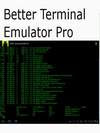
Overview: Harness the native Linux command-line potential of Android with this Terminal.
Unleash the command line potential of the Android console with this terminal. Best if rooted, but root not required. Run native Linux apps with Better Terminal Emulator Pro. Excellent soft keyboard and Sywpe support, send all VT-220 character codes including F1-F20. Includes SSH/Telnet client, BusyBox, BASH Shell.
Now supports Tegra2-based tablets such as the Viewsonic gTablet and the Motorola Xoom!
Works great with the Motorola Bluetooth Keyboard for Xoom. I am working on better Honeycomb support for the tablet form factor as well as HDMI out on the Xoom.
What's in this version:
Fix "Too much overuse of vibrator" problem.
Fix some emulation bugs.
Add Wake/Wifi Lock support in Preferences.
Reduce size of notification icon.
Add preference to make shift/caps/control keys non-locking (for tablets).
Fix bug where BTEP notification icon would remain persistent after closing app (only appeared on some platforms.)
x86 CPU support.
Download
Note: This App May Not Work With All The Phones Listed Above
 CPU Usage Monitor v2.0.13 Android
Name : CPU Usage Monitor v2.0.13 Android
Category : System Tools & Utilities
File Name : cpuusagemonitorv2.0.13android.apk
File Size : 116kb
Supported Phones : Acer beTouch E130, Dell Streak, Dell Mini 5, Dell Aero, Dell Mini 3iX, Garmin-Asus A10, Gigabyte GSmart G1305 Boston, Gigabyte GSmart G1305 Codfish, HTC Desire, HTC Bravo, HTC Wildfire, HTC Evo 4G, HTC Legend, HTC Aria, HTC Google Nexus One, HTC Hero, HTC Droid Incredible, HTC Tattoo, HTC Magic ... HTC DROID ERIS, HTC Dream, Huawei U8230, Huawei U8500, Huawei U8300, Huawei U8100, Huawei U8220, Huawei U8110, i-mobile i858, i-mobile 8500, Philips V900, Philips V808, T-Mobile G1, T-Mobile myTouch 3G Slide, T-Mobile myTouch 3G, T-Mobile Pulse, T-Mobile Garminfone, T-Mobile Pulse Mini, T-Mobile G2 Touch, T-Mobile myTouch 3G Fender Edition, Vodafone 845, ZTE Race, ZTE X850, ZTE U X850
Supplied By Unknown
Description
Requirements: Android 2.0+
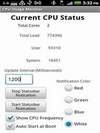
Overview: CPU monitor that displays in the statusbar. Great to monitor your CPU Usage & Frequency with one simple look. Code has been optimized to have low overhead and memory footprint to assure optimal battery life.
Match your theme with multiple Statusbar notification colors to select from!
* White
* Red
* Green
* Blue
Features Include
* Dual CPU core support!!
* Statusbar notification for CPU Frequency
* Statusbar notification for CPU Usage
* Multiple notification colors
* Configurable update interval
* App doesn't run when screen is off (helps with battery life)
* Auto start on boot
* & more
Please be aware that dual core phones do not use both cores all the time. When your device is only using one core the app reports this status until load increases to the point where your device starts using the 2nd core.
****** NOTE ******
HTC Sensation Owners
There is a device limitation with reading the CPU Frequency. We are looking into a workaround for this problem.
Download
Note: This App May Not Work With All The Phones Listed Above
 Titanium Backup Pro Root v3.8.8.1 Android
Name : Titanium Backup Pro Root v3.8.8.1 Android
Category : System Tools & Utilities
File Name : titaniumbackupprorootv3.8.8.1android.apk
File Size : 1124kb
Supported Phones : Acer beTouch E130, Dell Streak, Dell Mini 5, Dell Aero, Dell Mini 3iX, Garmin-Asus A10, Gigabyte GSmart G1305 Boston, Gigabyte GSmart G1305 Codfish, HTC Desire, HTC Bravo, HTC Wildfire, HTC Evo 4G, HTC Legend, HTC Aria, HTC Google Nexus One, HTC Hero, HTC Droid Incredible, HTC Tattoo, HTC Magic ... HTC DROID ERIS, HTC Dream, Huawei U8230, Huawei U8500, Huawei U8300, Huawei U8100, Huawei U8220, Huawei U8110, i-mobile i858, i-mobile 8500, Philips V900, Philips V808, T-Mobile G1, T-Mobile myTouch 3G Slide, T-Mobile myTouch 3G, T-Mobile Pulse, T-Mobile Garminfone, T-Mobile Pulse Mini, T-Mobile G2 Touch, T-Mobile myTouch 3G Fender Edition, Vodafone 845, ZTE Race, ZTE X850, ZTE U X850
Supplied By Unknown
Description
Requirements: All android versions
Overview: The ONLY tool that can backup, restore, freeze (with Pro) your apps + data + Market links!
EXTREMELY powerful tool. Backup ALL apps, Market links, remove bloatware & MORE!
☆Over 1.8 million users, 22+ languages!
☆Needs ROOT, Android 1.5-3.1+
☆PRO Key is available on Market!
☆Voted #1 TOP ROOT APP on Twitter.
☆Problem? See matrixrewriter.com/wiki
☆Internet used for Dropbox/Changelog
☆AVOID "unofficial" TB versions: they cause infamous "package signature" errors!
☆Wasted so much time to find a good anticracking protection scheme
☆ ☆ ☆
The ONLY tool that can backup, restore, freeze (with Pro) your apps + data + Market links! Fully supports protected and system apps! 0-click Batch/scheduled backups! Can move apps (or app data) to/from SD card! The PRO version adds 0-click batch restores, Dropbox sync, conversion between user <=> system apps, Dalvik cleaner & MORE!
Recent changes:
• Added support for license file on eMMC storage.
• Fixed the app data explorer to properly display file sizes instead of "?".
• Fixed FC with German language, when moving backups after changing the backup location.
• Fixed possible FC at launch on some broken ROMs that define a broken date/time format.
• Fixed possible FC during the "Verify all latest backups" batch job.
Install instructions:
problem called "max backup history" (the app will force close), fixed
Please unistall my old release and... yes:
Copy TitaniumBackup_license.txt to the root directory of your SD card
Download
Note: This App May Not Work With All The Phones Listed Above
 MySettings Pro v1.9.6 Android
Name : MySettings Pro v1.9.6 Android
Category : System Tools & Utilities
File Name : mysettingsprov1.9.6android.apk
File Size : 364kb
Supported Phones : Acer beTouch E130, Dell Streak, Dell Mini 5, Dell Aero, Dell Mini 3iX, Garmin-Asus A10, Gigabyte GSmart G1305 Boston, Gigabyte GSmart G1305 Codfish, HTC Desire, HTC Bravo, HTC Wildfire, HTC Evo 4G, HTC Legend, HTC Aria, HTC Google Nexus One, HTC Hero, HTC Droid Incredible, HTC Tattoo, HTC Magic ... HTC DROID ERIS, HTC Dream, Huawei U8230, Huawei U8500, Huawei U8300, Huawei U8100, Huawei U8220, Huawei U8110, i-mobile i858, i-mobile 8500, Philips V900, Philips V808, T-Mobile G1, T-Mobile myTouch 3G Slide, T-Mobile myTouch 3G, T-Mobile Pulse, T-Mobile Garminfone, T-Mobile Pulse Mini, T-Mobile G2 Touch, T-Mobile myTouch 3G Fender Edition, Vodafone 845, ZTE Race, ZTE X850, ZTE U X850
Supplied By Unknown
Description
Requirements: Android OS 1.5 - 2.3
Overview: The best toggle settings application. It's a beautiful tool that allows you to quickly enable or disable different settings.
The best toggle settings tool.
What's in this version:
4 UI languages was added: Hungarian (zorgoz), Finnish (6sto), Dutch (willieswortel) and Serbian (Staniša Mitić (kostolomac))
PLEASE UNISTALL FREE VERSION FIRST AND THEN INSTALL THIS.
Download
Note: This App May Not Work With All The Phones Listed Above
 PowerMax Full v1.3.5 Android
Name : PowerMax Full v1.3.5 Android
Category : System Tools & Utilities
File Name : powermaxfullv1.3.5android.apk
File Size : 771kb
Supported Phones : Acer beTouch E130, Dell Streak, Dell Mini 5, Dell Aero, Dell Mini 3iX, Garmin-Asus A10, Gigabyte GSmart G1305 Boston, Gigabyte GSmart G1305 Codfish, HTC Desire, HTC Bravo, HTC Wildfire, HTC Evo 4G, HTC Legend, HTC Aria, HTC Google Nexus One, HTC Hero, HTC Droid Incredible, HTC Tattoo, HTC Magic ... HTC DROID ERIS, HTC Dream, Huawei U8230, Huawei U8500, Huawei U8300, Huawei U8100, Huawei U8220, Huawei U8110, i-mobile i858, i-mobile 8500, Philips V900, Philips V808, T-Mobile G1, T-Mobile myTouch 3G Slide, T-Mobile myTouch 3G, T-Mobile Pulse, T-Mobile Garminfone, T-Mobile Pulse Mini, T-Mobile G2 Touch, T-Mobile myTouch 3G Fender Edition, Vodafone 845, ZTE Race, ZTE X850, ZTE U X850
Supplied By Unknown
Description
Requirements: Android 1.5 - 2.3
Overview: PowerMax - maximize your battery life!
PowerMax extends the battery life of your mobile device. Simple to use: just push the button.
PowerMax is a mobile application that will help you extend the battery life of your mobile device. When you're on the go and notice that your mobile is about to die, or if you know it's going to be a long day until your next chance to charge, turn on PowerMax. PowerMax will save your battery and better manage power usage for you.
PowerMax is one of the most friendly and simple to use applications available today. On the main screen there is an On/Off switch. By turning on, the Power Saver will be activated and save your battery, and by turning off, the application will go back to your normal settings. When Power Saver Mode is on, your phone's functionality will be significantly reduced. But don't worry, this is just to save you power, you can always use your mobile's features on demand (email, internet applications etc).
In testing we have seen a wide range of battery life improvement – from a mediocre 20% more to an impressive 100% – doubling battery life! Your device usage pattern has a direct affect on the savings – typically the more you use your device the higher the savings you will enjoy. Please note that our reports on the percent improvement in battery life will only start a few days after you install PowerMax. Why? Because PowerMax first learns what is your normal battery consumption, the baseline, and then calculates the improvement.
What's in this version:
GPS control for Android 2.3.3 "Gingerbread" now available using new Permission System.
Some small bug fixes.
Download
Note: This App May Not Work With All The Phones Listed Above
 Elixir v1.12.4 Android
Name : Elixir v1.12.4 Android
Category : System Tools & Utilities
File Name : elixirv1.12.4android.apk
File Size : 1334kb
Supported Phones : Acer beTouch E130, Dell Streak, Dell Mini 5, Dell Aero, Dell Mini 3iX, Garmin-Asus A10, Gigabyte GSmart G1305 Boston, Gigabyte GSmart G1305 Codfish, HTC Desire, HTC Bravo, HTC Wildfire, HTC Evo 4G, HTC Legend, HTC Aria, HTC Google Nexus One, HTC Hero, HTC Droid Incredible, HTC Tattoo, HTC Magic ... HTC DROID ERIS, HTC Dream, Huawei U8230, Huawei U8500, Huawei U8300, Huawei U8100, Huawei U8220, Huawei U8110, i-mobile i858, i-mobile 8500, Philips V900, Philips V808, T-Mobile G1, T-Mobile myTouch 3G Slide, T-Mobile myTouch 3G, T-Mobile Pulse, T-Mobile Garminfone, T-Mobile Pulse Mini, T-Mobile G2 Touch, T-Mobile myTouch 3G Fender Edition, Vodafone 845, ZTE Race, ZTE X850, ZTE U X850
Supplied By Unknown
Description
Requirements: for all Android versions
Overview: Elixir is a system information application with highly configurable widgets. Displays information about battery, cpu usage, memory usage, internal and external storage (sd-card), display, wifi, mobile network, location services (gps), bluetooth, sync, airplane mode, sensors, etc.
* multiple widget sizes, each can be disabled at Settings
* small widget icons, up to 7*7 icons per screen.
* every widgets are configurable (Menu/Widgets)
* every icon can be customized (Menu/Tips&Tricks/Customize icons)
* export/import widget definitions
* running processes/services/tasks
* statusbar icons: battery, cpu
* generating html report
Widget icon types:
* battery
* battery current
* battery temperature
* cpu usage
* cpu frequency
* running application count
* date
* time
* next alarm time
* external storage
* internal storage
* memory
* mobile signal strength
* mobile traffic
* wifi signal strength
* wifi traffic
* airplane mode switch
* auto-rotate switch
* auto-sync switch
* sync switch
* bluetooth switch (2 or 3 state)
* gps switch (not avaible in 2.3)
* mobile data switch (APN switch, read Tips&Tricks)
* wimax (4g) switch for EVO
* wifi switch
* wifi hotspot switch
* mute switch
* ringer mode switch: normal, silent, vibrate
* speakerphone switch
* auto brightness switch
* brightness switch with configurable levels
* screen switch
* screen timeout switch with configurable levels
* lock switch
* edit widget mode switch
* application launcher
* shortcut: bookmark, contact, setting, ...
Elixir Personal Add-on:
- Gmail unread count widget for multiple accounts
- Sms unread count widget
- Missed calls widget
- Contact widgets. If you click on a contact picture, you can easily view contact, send an email, sms or make a call
Please read Menu/Tips & Tricks.
- Contact direct dial
- Contact direct message
Recent changes:
New info:
- System / More information / Build / ROM
- Wifi / More information / Hostname
- Battery / More information / Level and Scale
Fixes:
- mobile and phone type refreshes in the main screen
- Contact widget fix
- Wifi AP switch extra permission, it is needed on some devices
- ...
Other:
- Menu/More/Uninstall to help uninstall
Note:
No ads.
Download
Note: This App May Not Work With All The Phones Listed Above
 Tegrak Overclock Ultimate v0.6.3.2 Android
Name : Tegrak Overclock Ultimate v0.6.3.2 Android
Category : System Tools & Utilities
File Name : tegrakoverclockultimatev0.6.3.2android.apk
File Size : 1009kb
Supported Phones : Acer beTouch E130, Dell Streak, Dell Mini 5, Dell Aero, Dell Mini 3iX, Garmin-Asus A10, Gigabyte GSmart G1305 Boston, Gigabyte GSmart G1305 Codfish, HTC Desire, HTC Bravo, HTC Wildfire, HTC Evo 4G, HTC Legend, HTC Aria, HTC Google Nexus One, HTC Hero, HTC Droid Incredible, HTC Tattoo, HTC Magic ... HTC DROID ERIS, HTC Dream, Huawei U8230, Huawei U8500, Huawei U8300, Huawei U8100, Huawei U8220, Huawei U8110, i-mobile i858, i-mobile 8500, Philips V900, Philips V808, T-Mobile G1, T-Mobile myTouch 3G Slide, T-Mobile myTouch 3G, T-Mobile Pulse, T-Mobile Garminfone, T-Mobile Pulse Mini, T-Mobile G2 Touch, T-Mobile myTouch 3G Fender Edition, Vodafone 845, ZTE Race, ZTE X850, ZTE U X850
Supplied By Unknown
Description
Requirements: NEED ROOT! // for Android version 2.2 and higher
Overview: Overclock app
Overclock can be harm to your hardware.
Use at your own risk.
PLEASE!
Check available models and use free version first before you buy.
You must update over v0.2.0.0 for correct core voltage control.
*Galaxy Tab Gingerbread 2.3.3 (only in Korea) is available!
*GPU optimization is available! (Galaxy S II only)
*GT-I9000 leaked 2.3.4 and Gingerbread 2.3.3 is available!
*GalaxyS2 in Europe is available! (confirmed by blaaez at xda)
*GalaxyS2 in Korea is available!
*Galaxy S Gingerbread 2.3.3(only in Korea) is available!
What is this?
This is for family of Galaxy S and Galaxy S II devices.
You can set maximum CPU frequency of your device on available models EASILY.
This works with STOCK kernel, STOCK rom, (x)custom kernels and roms(x).
OOPS, after Gingerbread, not available on custom kernel that modified kernel source codes(added function symbols..etc). Froyo is still possible on almost customs.
You just need to rooting.
Features on Ultimate
*Lock GPU clock to 267MHz (Galaxy S II only)
*Set customized GPU clock. (Galaxy S II only)
*Set customized GPU voltage. (Galaxy S II only)
*Set scaling governor and min/max frequency.
*2x1 and 3x1 home screen widgets
*Set customized frequency (1.0 ~ 2.0 GHz)
*Set customized voltage (750 ~ 1400 mV, OV or UV available)
*Available set last settings on boot automatically.
- Stability checking background service is turned on about 5 minutes every time when you change settings.
- If your device freeze or shutdown while it is running, app will show you popup to apply the last setting on boot.
*Show ARM core voltage at max frequency.
*Show your device information
*Free from Advertisement
*Tweaks (Io Scheduler)
Features on Free
*Lock GPU clock to 267MHz (Galaxy S II only)
*Set scaling governor and min/max frequency.
*Set cpu max frequency
-- GalaxyS: 1.0 ~ 1.3GHz
-- GalaxyS2: 1.2 ~ 1.452GHz
*Show ARM core voltage at max frequency.
*Show your device information
*Tweaks (Io Scheduler)
About voltage control
GalaxyS2 Gingerbread: +-25 step
GalaxyS Froyo: +-25 step
GalaxyS Gingerbread: +-1 step
How to use?
First, click "Load overclock module.
Second, click "CPU max frequency" and choose one frequency from preset options.
You can control more detailed option in "Optimization" menu.
More features will be added
Available GalaxyS2 Family
*GalaxyS2 (GT-I9100, Gingerbread 2.3.3)
*GalaxyS2 (SHW-M250S, Gingerbread 2.3.3)
*GalaxyS2 (SHW-M250K, Gingerbread 2.3.3)
*GalaxyS2 (SHW-M250L, Gingerbread 2.3.3)
Available GalaxyS Family
*Captivate (SGH-I897, Gingerbread 2.3.3, Froyo 2.2 / 2.2.1)
*Captivate, Rogers (SGH-I896, Gingerbread 2.3.3, Froyo 2.2 / 2.2.1)
*Epic 4G (SPH-D700, Gingerbread 2.3.3, Froyo 2.2 / 2.2.1)
*Fascinate (SCH-I500, Gingerbread 2.3.3, Froyo 2.2 / 2.2.1)
*Fascinate, Telus (SGH-T959D, Gingerbread 2.3.3, Froyo 2.2 / 2.2.1)
*Galaxy S (GT-I9000, Gingerbread 2.3.3 / 2.3.4, Froyo 2.2 / 2.2.1)
*Galaxy S (GT-I9000M, Gingerbread 2.3.3, Froyo 2.2 / 2.2.1)
*Galaxy S (GT-I9000B, Gingerbread 2.3.3, Froyo 2.2 /2.2.1)
*Galaxy S (SHW-M110S, Gingerbread 2.3.3, Froyo 2.2 / 2.2.1)
*Galaxy K (SHW-M130K, Gingerbread 2.3.3, Froyo 2.2 / 2.2.1)
*Galaxy U (SHW-M130L, Gingerbread 2.3.3, Froyo 2.2 / 2.2.1)
*Galaxy Player (YP-GB1, Froyo 2.2.1)
*Galaxy Player (YP-GB70, Froyo 2.2.1)
*Galaxy S Hoppin (SHW-M190S, Froyo 2.2.1)
*Giorgio Armani Galaxy S (GT-I9010, Gingerbread 2.3.3, Froyo 2.2 / 2.2.1)
*Mesmerize (SCH-I500, Gingerbread 2.3.3, Froyo 2.2 / 2.2.1)
*Vibrant (SGH-T959, Gingerbread 2.3.3, Froyo 2.2 / 2.2.1 )
*Vibrant Plus (SGH-T959V, Gingerbread 2.3.3, Froyo 2.2 / 2.2.1)
Available Galaxy Tab Family
*Galaxy Tab (SHW-M180S, Gingerbread 2.3.3)
*Galaxy Tab (SHW-M180L, Gingerbread 2.3.3)
If you are using Galaxy S or Galaxy Tab and your device is not in available models
please let me know your device's model number.
Sorry, I decided to delay supporting GalaxyTab - in June.
PLANS
*Profile management
What's in this version:
[ v0.6.3.2 ]
supports SC-02C Galaxy S II, NTT Docomo, Japan
Note:
Please remove old version first.
Download
Note: This App May Not Work With All The Phones Listed Above
 Gauge Battery Widget Pro v2.0.4 Android
Name : Gauge Battery Widget Pro v2.0.4 Android
Category : System Tools & Utilities
File Name : gaugebatterywidgetprov2.0.4android.apk
File Size : 858kb
Supported Phones : Acer beTouch E130, Dell Streak, Dell Mini 5, Dell Aero, Dell Mini 3iX, Garmin-Asus A10, Gigabyte GSmart G1305 Boston, Gigabyte GSmart G1305 Codfish, HTC Desire, HTC Bravo, HTC Wildfire, HTC Evo 4G, HTC Legend, HTC Aria, HTC Google Nexus One, HTC Hero, HTC Droid Incredible, HTC Tattoo, HTC Magic ... HTC DROID ERIS, HTC Dream, Huawei U8230, Huawei U8500, Huawei U8300, Huawei U8100, Huawei U8220, Huawei U8110, i-mobile i858, i-mobile 8500, Philips V900, Philips V808, T-Mobile G1, T-Mobile myTouch 3G Slide, T-Mobile myTouch 3G, T-Mobile Pulse, T-Mobile Garminfone, T-Mobile Pulse Mini, T-Mobile G2 Touch, T-Mobile myTouch 3G Fender Edition, Vodafone 845, ZTE Race, ZTE X850, ZTE U X850
Supplied By Unknown
Description
Requirements: Android 1.5+
Overview: Bored of ordinary battery widgets? All looks the same? Try this analog one! Measure your battery life and have fun.
Note: This is Pro version of Gauge Battery Widget Free. It provides exactly the same functionality as PayPal Donation Version.
Features:
- small, medium and large versions with high quality graphics
- battery percent in widget (shows percentage of battery life left)
- battery status in status bar (can be turned off!)
- configurable battery widget color options
- customize look of the widget (colors)
- shows temperature and voltage in status bar
Notes:
* To improve your phone's battery you should kill running tasks, adjust screen brightness (volume), turn off wifi, gps, bluetooth and Auto-sync
* Uninstall task killer (to add into ignore list is not enough)
* Please note that very small set of features is donator only.
* Internet access permission is required for crash reports and anonymous usage metrics. Contact me if you need more details.
IMPORTANT: This app is home screen widget. Long press on home screen to install.
If you like this app please rate it!!!
If you miss some feature or see bug please DON'T RATE BAD but send me an email! I'll fix it!
Planned features:
* battery history
* battery life prediction
Download
Note: This App May Not Work With All The Phones Listed Above


